Dark Mode in Next.js 16: A Scalable Theming Guide

Written by
Bhalli B
Full-Stack Engineer & SaaS MVP Architect
Certified Full-Stack Developer & MVP Specialist · Lahore, Pakistan
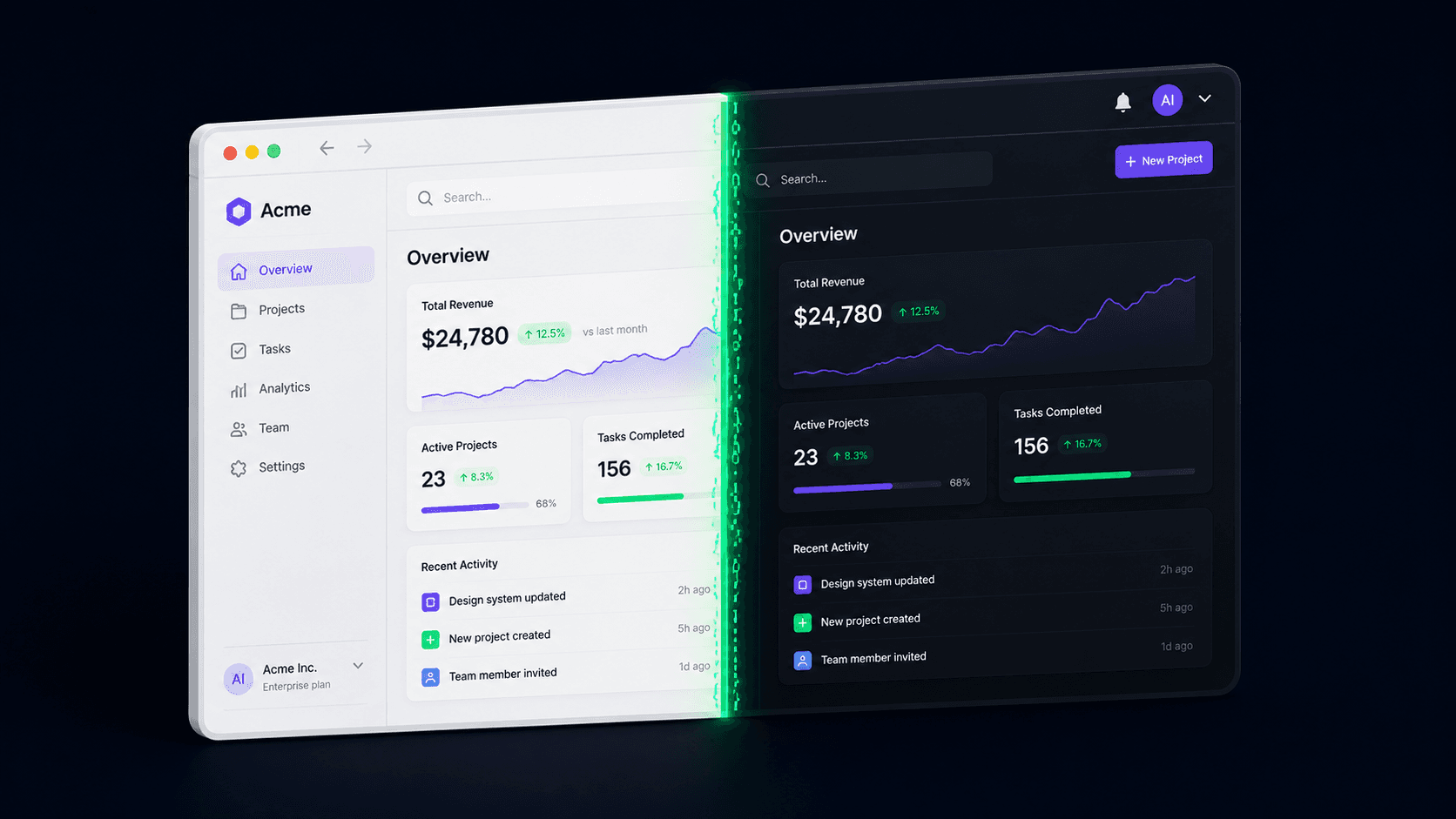
The white flash your users see for a fraction of a second before your dashboard settles into dark mode isn't a cosmetic bug you can ignore until later - it's a specific race condition between server-rendered HTML and client-side JavaScript, and on a SaaS product it's the single most common support ticket a founder gets in the week after a dark mode launch. It happens because the server has no idea what theme the visitor prefers, paints the page one way, and then JavaScript corrects it a beat later. Built with the token-based pattern below, that flash goes to effectively zero milliseconds, and re-theming the entire app later - a rebrand, a white-label client, a new accent color - becomes a change to a handful of CSS variables instead of a re-write.
1. What's Actually Happening When a Dark-Mode Page "Flashes" White?
The flash happens because the browser paints your server-rendered HTML before any JavaScript has run, and by default that HTML has no theme information attached to it at all. In practice, this means: your Next.js server doesn't know if the visitor's OS is set to dark mode, and it definitely doesn't know what they picked last time, because that preference usually lives in localStorage - which only exists in the browser, not on your server. So the page paints in whatever the default is, JavaScript hydrates a beat later, reads localStorage, and swaps the class on <html>. That gap between first paint and the swap is the flash, and depending on connection speed and device it's commonly in the 150-400ms range - long enough to be visibly jarring on every single page load, not just the first one.
The fix isn't a React state fix at all - it's a blocking script injected into <head> that runs and sets the correct class before the browser paints anything. This is exactly what the next-themes package (still the standard choice in the Next.js 16 App Router ecosystem) automates, and it's why hand-rolling your own useEffect-based toggle almost always reintroduces the flash you're trying to remove.
2. Which Theming Approach Should You Actually Use in a Next.js 16 MVP?
| Approach | Flash-of-Wrong-Theme Risk | Runtime Cost | Rebrand/White-Label Effort Later |
|---|---|---|---|
| CSS-in-JS (styled-components ThemeProvider) | High - theme resolves after JS runs | Highest - runtime style generation on every render | Moderate - theme object edits, no CSS rebuild |
prefers-color-scheme media query only, no toggle | None - resolved by the browser before paint | Lowest - pure CSS, zero JS | High - no per-user override, no manual toggle possible |
Tailwind v3, darkMode: 'class', hand-rolled toggle | High unless you write the blocking script yourself | Low - CSS class toggling only | Moderate - config-file color edits |
Tailwind v4 @theme inline + OKLCH tokens + next-themes | None - next-themes ships the blocking script | Low - CSS variables, ~2KB gzip for next-themes itself | Lowest - every color is one semantic token, editable in one file |
As a Certified Project Manager, I put theme tokens on the scope sheet before a single component gets built - deciding your semantic color names (background, surface, accent, danger) up front is a half-day exercise, and skipping it is what turns a "quick rebrand" request in month six into a multi-day find-and-replace across every component file.
3. What's the Right Way to Structure Theme Tokens in Tailwind v4?
Tailwind v4 moved theme configuration out of tailwind.config.ts and into CSS itself, using @theme directives - but there are two versions of that directive, and picking the wrong one is the single most common dark mode bug reported against Tailwind v4 setups: your colors are defined correctly, dark mode toggles the .dark class correctly, and nothing changes on screen anyway.
/* globals.css */
@import "tailwindcss";

@theme {
  --color-background: oklch(98% 0 0);
  --color-foreground: oklch(15% 0 0);
}

.dark {
  --color-background: oklch(15% 0 0); /* never applies */
  --color-foreground: oklch(98% 0 0);
}
Plain @theme bakes the value into the generated utility class at build time, so bg-background is compiled once and the .dark override underneath it is silently ignored - dark mode toggles the class but nothing on screen changes.
/* globals.css */
@import "tailwindcss";

:root {
  --background: oklch(98% 0 0);
  --foreground: oklch(15% 0 0);
}

.dark {
  --background: oklch(15% 0 0);
  --foreground: oklch(98% 0 0);
}

@theme inline {
  --color-background: var(--background); /* reference, not a baked value */
  --color-foreground: var(--foreground);
}

@variant dark (&:where(.dark, .dark *));
@theme inline tells Tailwind to reference the CSS variable at runtime instead of baking its resolved value, so when .dark swaps --background on the root, every bg-background utility across the app updates instantly with zero JavaScript re-render.
4. How Much Does Getting the Flash Wrong Actually Cost You?
TFD = Tₕ − Tₚ
On a hand-rolled useEffect toggle, the theme class can only apply after React hydrates - on a typical mid-range mobile connection loading a moderately sized dashboard bundle, that's a realistic gap:
5. What Does Production-Grade Theme Code Actually Look Like?
The root layout is where the blocking-script trick actually gets wired in, and it's the piece most tutorials gloss over: suppressHydrationWarning on <html> is required, not optional, because the blocking script will legitimately produce a server/client mismatch on that one attribute - and without it, React logs a false-positive warning on every load.
// app/layout.tsx - Server Component
import { ThemeProvider } from './providers';
import './globals.css';

export default function RootLayout({ children }: { children: React.ReactNode }) {
  return (
    // suppressHydrationWarning is required here: next-themes intentionally
    // sets the class/theme attribute before React hydrates, which would
    // otherwise trip Next.js's hydration mismatch warning on every load.
    <html lang="en" suppressHydrationWarning>
      <body>
        <ThemeProvider>{children}</ThemeProvider>
      </body>
    </html>
  );
}
// app/providers.tsx - must be a Client Component; next-themes reads
// localStorage and matchMedia, neither of which exist on the server
'use client';

import { ThemeProvider as NextThemesProvider } from 'next-themes';

export function ThemeProvider({ children }: { children: React.ReactNode }) {
  return (
    <NextThemesProvider attribute="class" defaultTheme="system" enableSystem>
      {children}
    </NextThemesProvider>
  );
}
The toggle button is the one place you'll hit a real hydration mismatch if you're not careful - useTheme() returns undefined on the server because it genuinely doesn't know the theme yet, so rendering the sun/moon icon based on it before mount will mismatch:
// components/theme-toggle.tsx
'use client';

import { useTheme } from 'next-themes';
import { useEffect, useState } from 'react';

export function ThemeToggle() {
  const { theme, setTheme } = useTheme();
  const [mounted, setMounted] = useState(false);

  useEffect(() => setMounted(true), []); // only trust theme after client mount

  if (!mounted) return <div className="h-9 w-9" />; // stable placeholder, same size, no icon guess

  return (
    <button onClick={() => setTheme(theme === 'dark' ? 'light' : 'dark')}>
      {theme === 'dark' ? '☀️' : '🌙'}
    </button>
  );
}
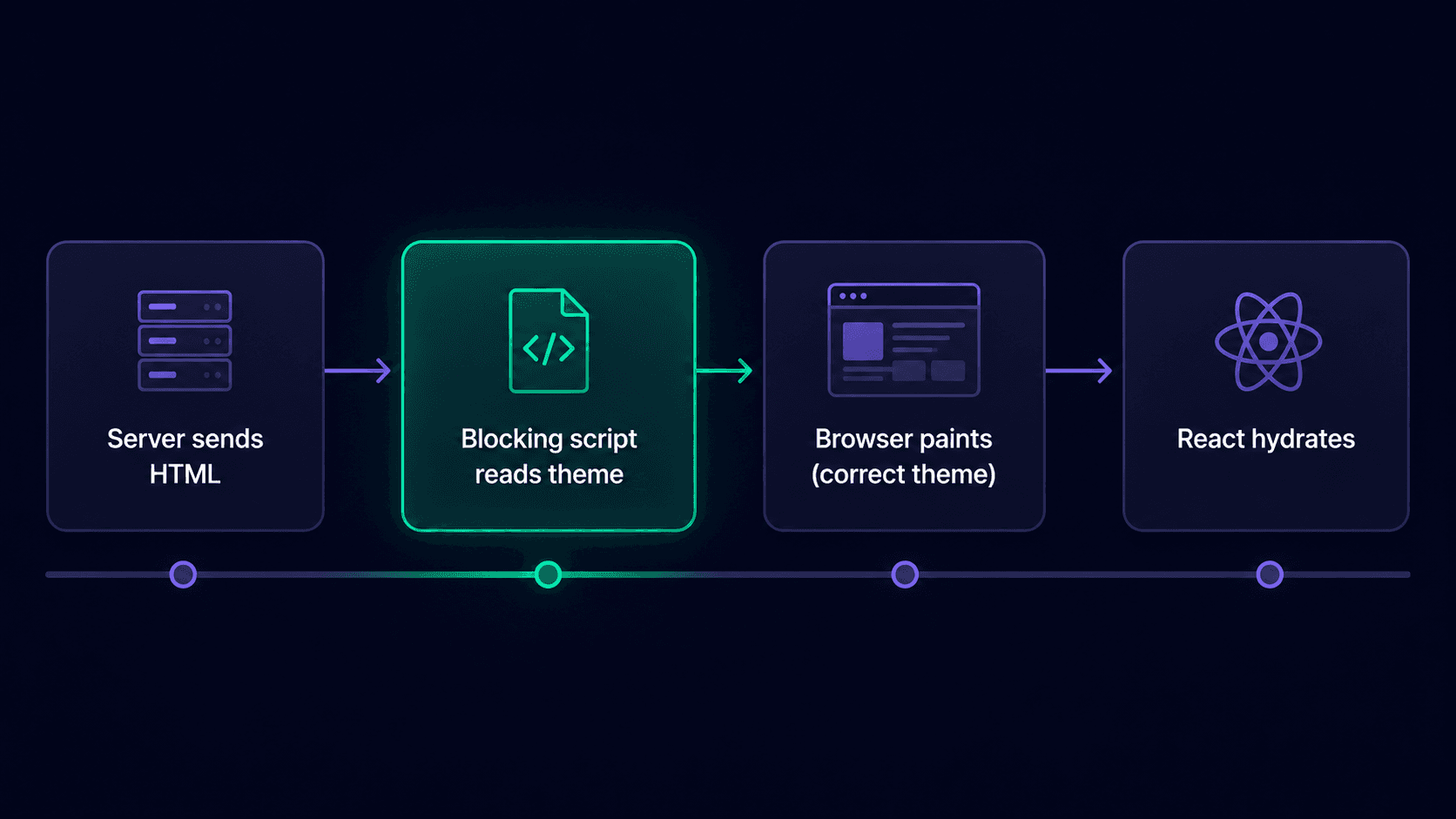 Figure 1: The request lifecycle showing the blocking script executing between server HTML delivery and first paint, before React hydration ever starts.
6. Conclusion and Actionable Roadmap
Dark mode in a Next.js 16 App Router MVP isn't a component-library checkbox - it's a token architecture decision that determines whether a rebrand six months from now takes an afternoon or a week, and a pre-paint timing detail that determines whether every page load looks polished or visibly buggy. Get the @theme inline mapping right, let next-themes own the blocking script instead of hand-rolling one, and gate any theme-dependent UI behind a mount check, and the flash drops to effectively zero milliseconds with no ongoing maintenance cost.
Ship theming that scales past your first redesign: I build Next.js 16 / Tailwind v4 SaaS MVPs with semantic token architecture in place from day one, not retrofitted after the first rebrand request. Contact me today to book a 30-minute theming audit.