How to Test Website in Safari on Windows and Linux Without a Mac

Written by
Bhalli B
Full-Stack Engineer & SaaS MVP Architect
Certified Full-Stack Developer & MVP Specialist · Lahore, Pakistan
Safari has no native build for Windows or Linux - Apple shipped its last Windows version, Safari 5.1.7, back in 2012 and has never released a Linux build at all, which means every WebKit-specific rendering bug on those platforms is invisible until you either boot a macOS VM, pay for a cloud grid like BrowserStack or Sauce Labs, or run WebKit locally through another engine. any-browser, the CLI I built and published to npm, is that third option: real Playwright WebKit rendering, running locally on Windows or Linux, testing both localhost and live public URLs, for $0. This post covers why Safari testing matters even if your team is 100% Windows/Linux, how any-browser actually works under the hood, and the exact commands to get a real WebKit render of your site running in under two minutes.
1. Why Can't You Test Safari on Windows or Linux Directly?
Safari isn't cross-platform because Apple made a deliberate decision to stop making it one. Safari for Windows existed from 2007 to 2012, when Apple quietly discontinued it after version 5.1.7 and never shipped a Linux build in the first place. That leaves engine parity, not the Safari app itself, as the actual problem: Safari runs on WebKit, while Chrome, Edge, and Brave all run on Blink, and Firefox runs on Gecko. Passing tests in any Blink or Gecko browser tells you nothing about how your CSS, your JavaScript engine assumptions, or your font rendering behave under WebKit - because it's a genuinely different rendering pipeline, not a themed variant of the same one.
Why This Isn't a Niche Edge Case
Worldwide, Chrome dominates browser market share at around 64%, Safari follows at roughly 20%, and Firefox holds about 4% - and on iPhone specifically, every browser you can install is required to use WebKit under the hood, including Chrome and Firefox for iOS, per Apple's platform policy. That means a WebKit rendering bug doesn't just cost you the ~20% of users on Safari directly; it costs you the majority of iPhone traffic regardless of which browser icon someone tapped.
2. What Are Your Actual Options for Testing Safari Without a Mac?
In practice, teams testing WebKit compatibility without a Mac fall into one of three buckets: a macOS virtual machine (legally gray for most licensing terms, resource-heavy, slow to provision), a paid cloud testing platform (BrowserStack, Sauce Labs, TestingBot, Browserling - all subscription-gated, all require an internet round trip per test), or a local WebKit binary running through a browser automation framework. Playwright ships its own WebKit build specifically so automated tests can run real WebKit rendering on any OS without needing an actual Mac - that's the engine any-browser wraps in a CLI, so you get real WebKit layout, real WebKit JS engine (JavaScriptCore) behavior, and real WebKit CSS handling, not an approximation.
| Option | Cost | Local (localhost) sites | Live/public sites | Setup |
|---|---|---|---|---|
| any-browser (npm) | Free, open source | ✅ Native, no tunnel | ✅ | npm install -g any-browser |
| BrowserStack Live | ~$29/user/month, annual billing | Needs Local Testing tunnel add-on | ✅ | Account + browser extension |
| macOS VM (VMware/UTM) | Free-ish, but licensing is gray for most | ✅ | ✅ | Hours; heavy resource footprint |
| Old Safari-for-Windows installer | Free | Unmaintained since 2012 | Renders nothing like modern Safari | Not recommended |
3. How Do You Actually Install and Run any-browser?
any-browser is published on npm as any-browser (currently v1.0.9, open source, source and README at github.com/BhalliBhai/any-browser-cli), and installs globally with a single command:
# install.sh
# Global install - makes the `any-browser` command available system-wide.
npm install -g any-browser
The first install downloads the Chromium, Firefox, and WebKit engines via Playwright - a one-time ~300MB download, with the CLI showing exactly what's happening in your terminal as it fetches them. Every run after that is instant, since the engines are already cached locally.
Once installed, running a test against a local dev server and a live public site uses the same command shape - you pass one or more browsers as arguments, plus an optional -u/--url (it defaults to http://localhost:3000 if you omit it):
# test-examples.sh
# Test a local dev server on Safari's engine - no tunneling tool
# required, since the CLI drives a real local WebKit process directly.
any-browser test safari

# Run multiple engines in one pass - pass as many browser
# arguments as you want in a single command.
any-browser test chrome firefox

# Test a live, publicly deployed site the exact same way, across
# all three engines at once.
any-browser test all --url https://example.com

# Headless mode for CI pipelines - no visible browser window,
# same real engine rendering underneath.
any-browser test safari --headless
Each browser opens in front of you, paused on the page, so you can click around and inspect it exactly like a real visitor would - that interactive-by-default behavior is what separates this from a pure headless CI check; you get a real, drivable WebKit window on a machine that's never been able to open one before. Because it's driving a real local process instead of round-tripping to a cloud grid, there's no tunneling tool, no account, and no per-minute usage cap - the only constraint is your own machine's resources.
If you'd rather clone and run it from source than install the global CLI, that path is documented too:
# from-source.sh
git clone https://github.com/BhalliBhai/any-browser-cli.git
cd any-browser-cli
npm install
npm run test:safari   # or test:chrome / test:firefox
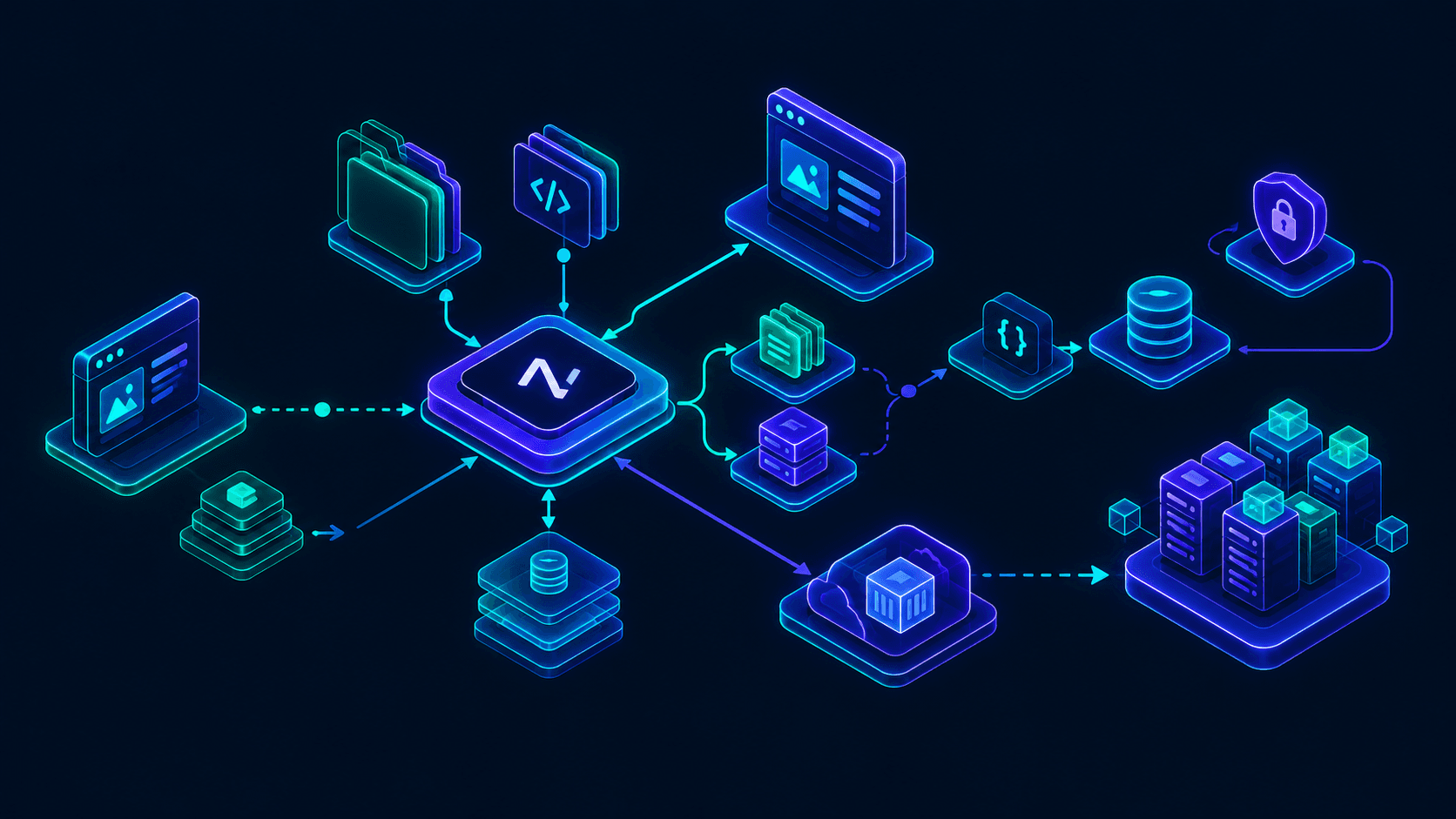
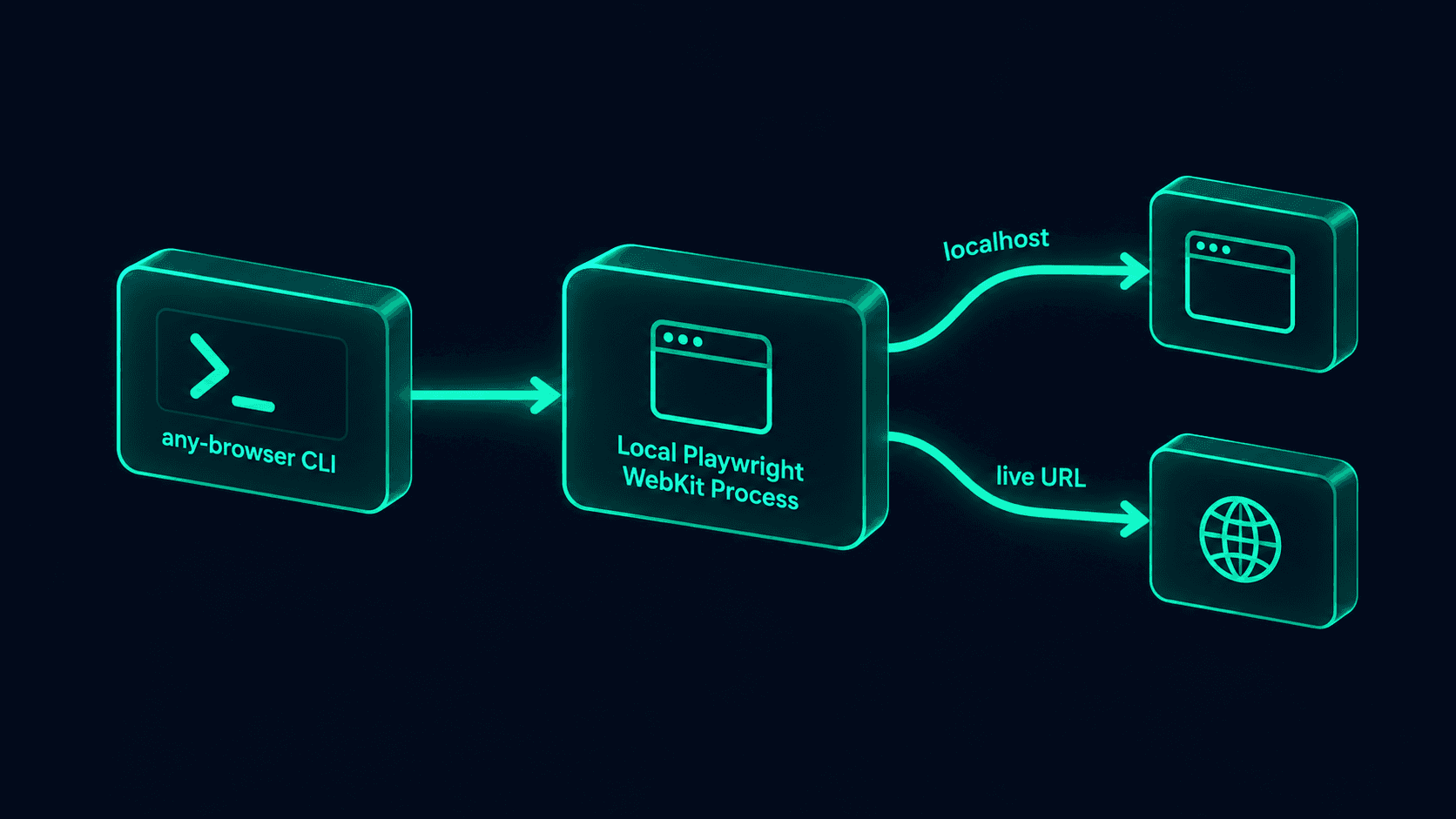 Figure 1: any-browser drives Playwright's local WebKit binary directly - no cloud round trip, no tunnel, whether the target is localhost or a live public URL.
4. Is a Cloud Tunnel Really Necessary Just to Test Your Dev Server?
Testing a local dev server on a paid cloud platform requires installing a separate tunneling binary (an ngrok-style local-testing agent), authenticating it, and keeping it running alongside your dev server just to expose localhost to the cloud grid.
Two moving processes to debug when something doesn't load, plus a subscription, just to check how a page renders in Safari before you've even deployed it.
any-browser opens a real local WebKit browser process that can hit localhost directly, the same way Chrome DevTools does on your own machine - no network hop, no tunnel binary, no account.
One command, one process, and the same tool works identically once you deploy and want to check the live URL.
5. What Does This Actually Save a Team Over a Year?
C = u × p × 12
This isn't an argument that cloud grids have no value - BrowserStack and Sauce Labs still win for real-device coverage (actual iPhones, actual old iOS versions) that a local WebKit binary can't replicate. As a Certified Project Manager, the rule I give clients is specific: use a free local WebKit tool for the day-to-day "does this render correctly" loop during development, and reserve a paid real-device grid for pre-release device-matrix verification - paying for both tiers at once for every engineer is the actual budget mistake, not paying for cloud testing at all.
6. Conclusion and Actionable Roadmap
Safari's absence from Windows and Linux isn't a gap you have to work around with a subscription or a VM anymore - Playwright's WebKit build gives you the same rendering engine locally, and any-browser wraps it in a CLI that handles both localhost and live public URLs with the same command, for free. For a browser sitting at roughly 20% of global market share, and effectively the entire iPhone browser market regardless of which app icon a user tapped, that's not a corner case worth skipping - it's coverage you can now check in the same terminal you already run your dev server in.
Stop shipping Safari bugs to production because nobody on the team could check first: I build and maintain open-source developer tooling like any-browser alongside client SaaS work on Next.js and TypeScript. Contact me today to book a 30-minute cross-browser testing setup audit.