State Management in Next.js 2026: Zustand vs. Redux for SaaS MVPs

Written by
Bhalli B
Full-Stack Engineer & SaaS MVP Architect
Certified Full-Stack Developer & MVP Specialist · Lahore, Pakistan
The rapid evolution of web development has established Next.js 16 as the dominant full-stack React framework for building Software-as-a-Service (SaaS) Minimum Viable Products (MVPs). For startup founders and technical leaders, the challenge of building a product that balances rapid developer velocity with absolute runtime performance is highly critical.
Within this framework, managing user interface state is no longer a localized client-side concern; it has direct implications for server-side rendering (SSR) efficiency, hydration fidelity, compilation speed, and cloud infrastructure hosting economics.
Among the solutions available in 2026, Zustand and Redux Toolkit emerge as the two primary architectural approaches for application state management. Deciding between these libraries requires a deep analytical comparison of their technical performance, developer experience, and structural alignment with modern Next.js features.
1. The Next.js 16 Architectural Landscape and State Boundaries
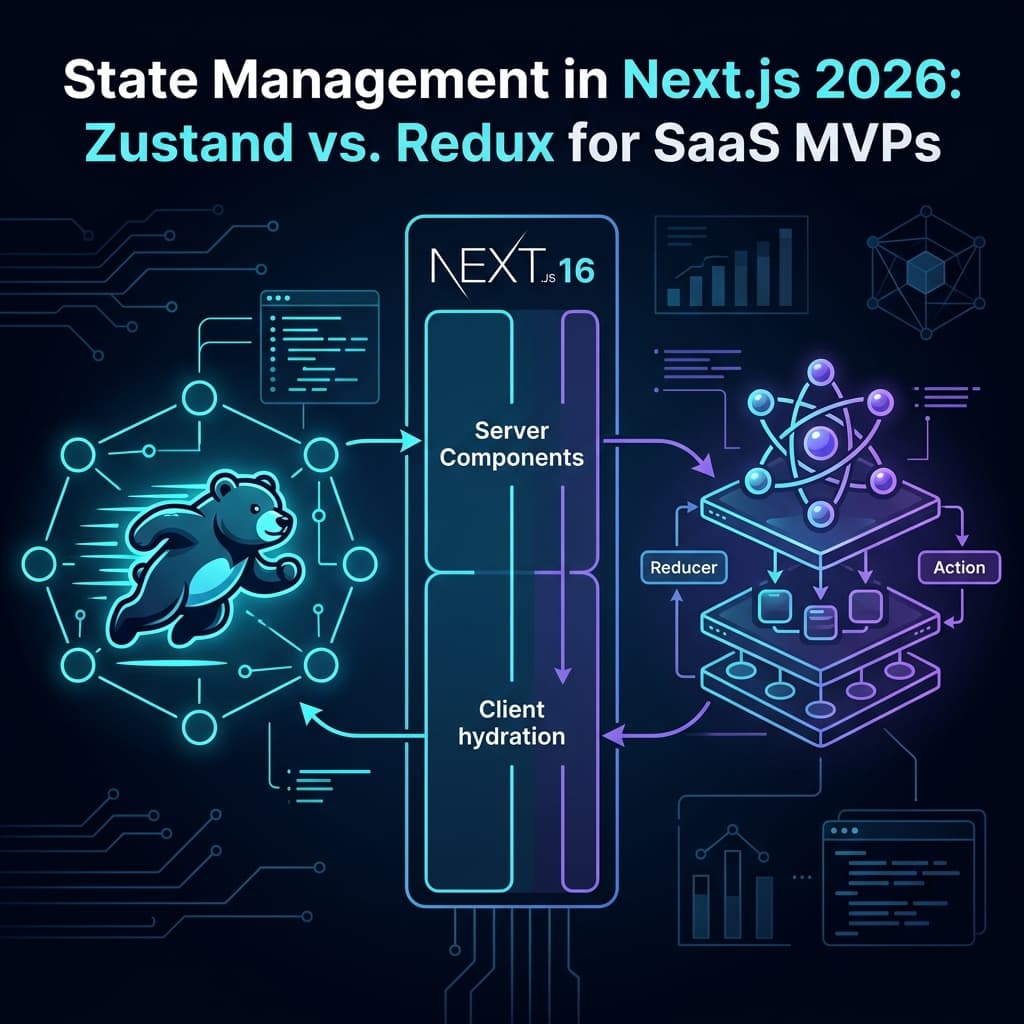
Modern application engineering requires a clear understanding of the dividing line between React Server Components (RSCs) and Client Components. RSCs execute exclusively on the server, producing a stateless stream of HTML and Server Component payloads directly to the browser.
By offloading heavy data fetching and structural rendering to the server, application bundles remain lean and initial page rendering speed is maximized. Under this model, Client Components operate on both the server during initial HTML serialization and on the browser during hydration, serving as the interactive, state-driven interfaces of the application.
The introduction of the use cache directive in Next.js 16 provides developers with a highly granular, functional caching mechanism that operates at the component, page, or function level. This capability replaces older Page Segment Configuration flags with dynamic cache components.
These cache components preserve pre-rendered shells while supporting dynamic rendering and streaming. Consequently, state management libraries are strictly prohibited from interacting with Server Components, which cannot consume React Context or stateful hooks.
Any interaction with global state must reside securely within Client Components. This boundary prevents developers from misusing Server Components and ensures the application is compatible with modern server-side caching and streaming.
2. Technical Performance and Design of State Managers
To establish a clear baseline for decision-making, the core technical profiles of Zustand and Redux Toolkit must be examined side-by-side:
| Performance and Operational Dimension | Zustand (v5+) | Redux Toolkit (RTK) |
|---|---|---|
| Gzipped Bundle Size | Approximately 1.5–2.0 kB | Approximately 15–20 kB (including dependencies) |
| Boilerplate and Code Density | Extremely low; utilizes functional closures | High; requires slices, actions, and typed hooks |
| Server-Side Rendering Compatibility | Native; integrates with React Context via useStore | Native; requires decoupled factory per request |
| Primary State-Sharing Mechanism | Subscription model with optimized selectors | Centralized state tree with unidirectional data flow |
| Integration with External Services | High; state is accessible outside React components | Moderate; requires middleware configuration |
| Asynchronous Operation Model | Native async/await inside actions | Built-in Thunk middleware |
Zustand operates on a decentralized, functional closure model that acts as a simplified Redux alternative. It manages a single store containing the application's entire state, but accesses and modifies this data through lightweight selectors. This structure keeps the bundle small and lowers CPU overhead.
In contrast, Redux Toolkit is an enterprise-focused implementation of the classic Flux architecture. It centralizes state into a single, predictable source of truth, enforcing strict, immutable data flows through slices, reducers, and actions. While this architecture is highly structured, it requires significant boilerplate code and increases the initial bundle payload.
3. Eliminating Cross-Request State Pollution
In a multi-tenant Node.js or edge runtime environment, global module state is shared across concurrent HTTP requests. This creates a severe security risk: if a state manager is declared as a global singleton, state changes initiated by one user can leak into the memory space of another user.
To prevent cross-request state pollution, technical teams must avoid using global, static stores in Next.js. Instead, the application must create an isolated, request-scoped store instance for each incoming request, using a React Context Provider to keep the store scoped to the current rendering tree.
Designing an Isolated Zustand Factory in Next.js 16
To deploy Zustand safely, a vanilla store factory must be defined to create a fresh store instance for each request. The following code implementation demonstrates how to build and expose an isolated Zustand store using Next.js 16:
// src/store/counter-store.ts
import { createStore } from 'zustand/vanilla';

export interface CounterState {
  count: number;
  increment: () => void;
  decrement: () => void;
}

export const createCounterStore = (initProps?: Partial<CounterState>) => {
  return createStore<CounterState>((set) => ({
    count: initProps?.count ?? 0,
    increment: () => set((state) => ({ count: state.count + 1 })),
    decrement: () => set((state) => ({ count: state.count - 1 })),
  }));
};

export type CounterStoreType = ReturnType<typeof createCounterStore>;
This store is then wrapped in a React Context Provider. By using useRef, the provider ensures that the store is instantiated only once per request on the server, and is preserved across client-side re-renders.
// src/providers/counter-store-provider.tsx
'use client';

import { createContext, useContext, useRef, ReactNode } from 'react';
import { useStore } from 'zustand';
import { createCounterStore, CounterStoreType, CounterState } from '../store/counter-store';

const CounterStoreContext = createContext<CounterStoreType | null>(null);

interface CounterStoreProviderProps {
  children: ReactNode;
  initialCount?: number;
}

export function CounterStoreProvider({ children, initialCount }: CounterStoreProviderProps) {
  const storeRef = useRef<CounterStoreType | null>(null);

  if (!storeRef.current) {
    storeRef.current = createCounterStore({ count: initialCount });
  }

  return (
    <CounterStoreContext.Provider value={storeRef.current}>
      {children}
    </CounterStoreContext.Provider>
  );
}

export const useCounterStore = <T,>(selector: (store: CounterState) => T): T => {
  const context = useContext(CounterStoreContext);
  if (!context) {
    throw new Error('useCounterStore must be used within CounterStoreProvider');
  }
  return useStore(context, selector);
};
This pattern can then be consumed inside any client component. The following code shows how a component reads from the isolated store using optimized selectors to prevent unnecessary re-renders:
// src/components/counter-button.tsx
'use client';

import { useCounterStore } from '../providers/counter-store-provider';

export function CounterButton() {
  const count = useCounterStore((state) => state.count);
  const increment = useCounterStore((state) => state.increment);

  return (
    <button onClick={increment} className="btn-primary">
      Current Count: {count}
    </button>
  );
}
Implementing an Isolated Redux Toolkit Store
Redux Toolkit requires a similar factory approach to prevent memory leakage between requests. By wrapping the store's initialization inside a dynamic makeStore function, the application can safely instantiate Redux on a per-request basis.
// src/store/auth-slice.ts
import { createSlice, PayloadAction } from '@reduxjs/toolkit';

export interface AuthState {
  isAuthenticated: boolean;
  user: string | null;
}

const initialState: AuthState = {
  isAuthenticated: false,
  user: null,
};

export const authSlice = createSlice({
  name: 'auth',
  initialState,
  reducers: {
    setAuthUser: (state, action: PayloadAction<string>) => {
      state.isAuthenticated = true;
      state.user = action.payload;
    },
    clearAuthUser: (state) => {
      state.isAuthenticated = false;
      state.user = null;
    },
  },
});

export const { setAuthUser, clearAuthUser } = authSlice.actions;
export default authSlice.reducer;
The corresponding Redux store configurator exposes a dynamic factory function that is compatible with Next.js rendering cycles:
// src/store/store.ts
import { configureStore } from '@reduxjs/toolkit';
import authReducer from './auth-slice';

export const makeStore = () => {
  return configureStore({
    reducer: {
      auth: authReducer,
    },
  });
};

export type AppStore = ReturnType<typeof makeStore>;
export type RootState = ReturnType<AppStore['getState']>;
export type AppDispatch = AppStore['dispatch'];
This dynamic configuration is then delivered to the application tree via a client-side provider component, which initializes the store on demand using a useRef container:
// src/providers/redux-store-provider.tsx
'use client';

import { useRef, ReactNode } from 'react';
import { Provider } from 'react-redux';
import { makeStore, AppStore } from '../store/store';

export default function ReduxStoreProvider({ children }: { children: ReactNode }) {
  const storeRef = useRef<AppStore | null>(null);

  if (!storeRef.current) {
    storeRef.current = makeStore();
  }

  return <Provider store={storeRef.current}>{children}</Provider>;
}
4. Resolving Server-Side Rendering Hydration Mismatches
During SSR, Next.js generates static HTML on the server and sends it to the browser. Hydration then converts this static markup into an interactive React application.
If the state manager outputs different values on the server and the client, the rendered HTML and virtual DOM will mismatch, causing hydration errors. This is a frequent issue when using store persistence libraries (like Zustand's persist middleware) that read directly from client-side APIs like localStorage.
To solve these hydration errors, a standard two-pass rendering pattern should be used. This strategy defers state-dependent rendering until the client-side hydration process is complete.
The custom React hook below provides a clean mechanism to check if the component has hydrated on the client:
// src/hooks/use-hydrated.ts
import { useState, useEffect } from 'react';

export function useHydrated() {
  const [hydrated, setHydrated] = useState(false);

  useEffect(() => {
    setHydrated(true);
  }, []);

  return hydrated;
}
This utility can be integrated into dynamic components to prevent the client from rendering local storage data before hydration is complete:
// src/components/hydrated-cart.tsx
'use client';

import { useCounterStore } from '../providers/counter-store-provider';
import { useHydrated } from '../hooks/use-hydrated';

export function HydratedCart() {
  const hydrated = useHydrated();
  const count = useCounterStore((state) => state.count);

  if (!hydrated) {
    return <span className="cart-fallback">0</span>;
  }

  return <span className="cart-count">{count}</span>;
}
5. Next.js 16 Bundle Diagnostics and Performance Budgets
Next.js 16 changed its build metrics reporting by removing default bundle-size details from the standard terminal output. Because of this change, developers must use external diagnostics to monitor code size and prevent performance regression.
For Webpack builds, developers typically install @next/bundle-analyzer and configure it conditionally within next.config.js. However, projects using Next.js 16 and Turbopack should leverage the built-in, experimental analyzer via next experimental-analyze.
This analyzer parses Turbopack's module graph to generate interactive visual treemaps, inspect client-to-server component boundaries, trace import chains, and output diagnostic data to disk at .next/diagnostics/analyze.
Developers should establish strict target thresholds for gzipped JavaScript payloads to maintain fast Page Load and Cumulative Layout Shift (CLS) scores:
| Gzipped Size Metric Range | Performance Category Rating | Impact on User Experience |
|---|---|---|
| Under 170 kB | Excellent | Zero perceivable load delay, fast TTFB, optimal SEO |
| 170 – 240 kB | Good | Minor load latency on standard 4G networks |
| 240 – 370 kB | Acceptable | Latency is visible on mobile devices and 3G |
| Over 370 kB | Poor | High bounce rates and search indexing penalties |
To enforce these performance targets automatically, startups should configure automated byte-budget checks in their GitHub Actions CI/CD pipelines using size-limit and the corresponding size-limit Action.
First, add the configuration parameters directly to package.json:
"size-limit": [
  {
    "path": ".next/static/chunks/**/*.js",
    "limit": "200 kB"
  }
]
Then, configure the automated size budget checker in your pull request workflow:
# .github/workflows/bundle-budget.yml
name: Bundle Budget Audit

on:
  pull_request:
    branches: [main]

jobs:
  audit-bundle:
    runs-on: ubuntu-latest
    steps:
      - name: Checkout Code
        uses: actions/checkout@v4

      - name: Setup Node.js Runtime
        uses: actions/setup-node@v4
        with:
          node-version: 20
          cache: 'npm'

      - name: Install Dependencies
        run: npm ci

      - name: Compile Next.js Application
        run: npm run build

      - name: Execute Budget Verification
        uses: andresz1/size-limit-action@v2
        with:
          github_token: ${{ secrets.GITHUB_TOKEN }}
6. SaaS MVP Hosting Economics: Vercel vs. Self-Hosted VPS
A critical challenge for growing SaaS platforms is balancing developer experience (DX) with infrastructure costs. When evaluating Next.js hosting, teams often choose between the ease of use of Vercel and the cost-efficiency of a self-hosted Virtual Private Server (VPS), as detailed in our guide on Next.js 16 Server Components: What Founders Need to Know About Hosting Costs.
The premium paid for using Vercel is often referred to as the "Vercel Tax". While Vercel provides seamless deployment features, its usage-based pricing can scale unpredictably once traffic exceeds typical startup limits.
Vercel Pro costs $20 per seat per month and enforces limits on several key resources: bandwidth is capped at 1 TB, serverless functions at 1,000 GB-hours, edge middleware at 1 million requests, and optimized images at 5,000.
Vercel applies strict overage rates for usage beyond these limits:
- Bandwidth Overages: $40.00 per 100 GB.
- Serverless Execution: $0.18 per GB-hour.
- Edge Middleware: $0.65 per million invocations.
- Image Optimization: $5.00 per 1,000 additional images.
Using these parameters, the monthly cost of hosting on Vercel can be calculated using the following equation:
For example, a three-person team serving 1.5 TB of bandwidth and 50,000 optimized images can see their monthly bill rise to $601.30.
The alternative approach is self-hosting on a dedicated cloud VPS (such as Hetzner) using an open-source platform-as-a-service (PaaS) like Coolify. Running Coolify on a $4.00 to $20.00 per month VPS can reduce hosting costs by up to 90%, providing predictable flat-rate billing and a Vercel-like deployment workflow.
However, self-hosting introduces its own cost, often called the "Self-Hosting Tax". This represents the engineering time required to configure pipelines, build deployments, and maintain the underlying infrastructure. This operational overhead is estimated to take 4 to 8 hours for initial setup, and 10 to 20 hours per year for ongoing maintenance.
The deployment options below represent the main hosting models available in 2026:
| Deployment Platform | Monthly Cost Structure | Next.js Feature Integration | Previews & DevOps Mechanics |
|---|---|---|---|
| Vercel | $20/seat + usage overages | Complete native support for edge features | Serverless preview URLs per PR |
| Railway | Usage-based resource usage | Dynamic container configurations | Preview envs per pull request |
| Northflank | Compute and resource consumption | Containerized setups and databases | Multi-cloud and preview tools |
| Hetzner + Coolify | Flat-rate VPS starting at $4/mo | OpenNext Node configurations | Full-stack Docker previews via App |
Vercel's preview deployments are serverless-only and struggle with complex architectures. In contrast, Coolify's preview environments run as isolated Docker containers on your VPS.
This allows Coolify to spin up full-stack previews that include dedicated databases, worker processes, and cron jobs for each pull request. These environments are configured using a first-party GitHub App and can be assigned custom domains (e.g., {{pr_id}}.preview.yourdomain.com).
For resource-constrained startups, choosing a self-hosted VPS is a highly cost-effective strategy. Using lightweight state management like Zustand helps minimize resources on these servers.
This optimization allows developers to run Next.js, database containers, and cache instances together on low-cost server hardware:
- 1 vCPU, 2GB RAM: Minimum requirement for static or low-traffic sites.
- 2 vCPU, 4GB RAM, 50GB SSD: Recommended baseline VPS for small applications.
- 4 vCPU, 8GB RAM: Comfortable allocation for production applications with local databases.
7. TypeScript 7.0 (Project Corsa) in the Build Pipeline
The June 18, 2026, Release Candidate announcement of TypeScript 7.0 represents a major upgrade for development pipelines. Under the codename "Project Corsa," the TypeScript team completed a file-for-file port of the type-checker from JavaScript (referred to as Strada) to Go (for a complete analysis, see TypeScript 7.0 Go-Native Compiler: What SaaS Founders Need to Know).
This port preserves identical type-checking semantics, but achieves up to a 10x speedup by compiling to native binary code and taking advantage of Go's parallel processing capabilities:
TypeScript 6.0 (Strada - JS on Node): [Single Threaded Type Checking] -> Slow CI Pipelines
                                                   │
                                                   ▼ (~10x Performance Boost)
TypeScript 7.0 (Corsa - Native Go):   [Parallel Shared-Memory Checkers] -> Real-Time Feedback
Benchmarks show significant performance improvements across major open-source codebases:
| Evaluated Repository | Total Codebase Size (LOC) | TypeScript 6.0 Time | TypeScript 7.0 (Go) Time | Speedup Factor |
|---|---|---|---|---|
| VS Code | ~1.5 Million Lines | 77.8 Seconds | 7.5 Seconds | 10.4x |
| Playwright | ~356 Thousand Lines | 11.1 Seconds | 1.1 Seconds | 10.1x |
| TypeORM | ~270 Thousand Lines | 17.5 Seconds | 1.3 Seconds | 13.5x |
| Sentry | ~1.5 Million Lines (Equivalent) | 133.08 Seconds | 16.25 Seconds | 8.19x |
Integrating TypeScript 7.0 can introduce unexpected configuration challenges due to changes in default compiler options:
- rootDir: Now defaults directly to
./. If yourtsconfig.jsonsits outside the source folder, this path must be explicitly mapped (e.g.,"rootDir": "./src"). - types: Now defaults to an empty array (
[]). Ambient globals (like@types/nodeor@types/jest) are no longer loaded automatically and must be listed explicitly. - Drop of JSDoc Tags: The Go-native compiler drops support for legacy JSDoc type annotations like
@enumand@constructor, requiring teams to migrate these patterns to TypeScript. - Const Enums: Because the Go compiler parses files in parallel, multi-file const enum patterns can cause compilation errors. Developers should replace these with standard enums or
as constobjects.
To adopt TypeScript 7.0 safely, teams can use the @typescript/typescript6 compatibility package. This allows developers to run both compilers side-by-side during a transition phase, running validation checks with the new tsgo/tsc binary while keeping the stable 6.0 compiler API for tools like ESLint.
8. Migrating a React SPA to Next.js App Router
Many startups choose to migrate their existing Single-Page Applications (SPAs) from legacy systems like Create React App (CRA) or Vite to the Next.js App Router to improve SEO, speed up initial page loads, and leverage server-side features. For a detailed transition blueprint, see our comprehensive guide on Migrating from React SPA to Next.js App Router: A Strategic Guide for Startup Teams.
Updating TypeScript and Configurations
To begin the migration, install Next.js and update your TypeScript configuration to support Next.js compilation rules:
# Using npm
npm install next@latest react@latest react-dom@latest

# Using pnpm
pnpm add next@latest react@latest react-dom@latest

# Using yarn
yarn add next@latest react@latest react-dom@latest

# Using bun
bun add next@latest react@latest react-dom@latest
Next, configure tsconfig.json to enable Next.js features and ensure compatibility with the framework's build system:
{
  "compilerOptions": {
    "target": "ES2022",
    "lib": ["dom", "dom.iterable", "esnext"],
    "allowJs": true,
    "skipLibCheck": true,
    "strict": true,
    "noEmit": true,
    "esModuleInterop": true,
    "moduleResolution": "bundler",
    "resolveJsonModule": true,
    "isolatedModules": true,
    "jsx": "preserve",
    "incremental": true,
    "plugins": [
      {
        "name": "next"
      }
    ]
  },
  "include": ["next-env.d.ts", "**/*.ts", "**/*.tsx", ".next/types/**/*.ts"],
  "exclude": ["node_modules"]
}
Transitioning from React Router to Next.js File-Based Routing
The primary difference between a traditional SPA and Next.js is the routing model. React Router uses declarative, client-side route definitions, while Next.js uses a file-system-based router.
A typical React Router setup defines routes within a single entrypoint file:
// Legacy React Router setup (index.tsx)
import { BrowserRouter, Routes, Route } from 'react-router-dom';
import Home from './pages/Home';
import Profile from './pages/Profile';

export default function App() {
  return (
    <BrowserRouter>
      <Routes>
        <Route path="/" element={<Home />} />
        <Route path="/profile/:userId" element={<Profile />} />
      </Routes>
    </BrowserRouter>
  );
}
To migrate this setup, replace the client-side router with the Next.js App Router directory structure. The root entrypoint becomes app/layout.tsx. This file defines the global HTML template and root components:
// app/layout.tsx
import { ReactNode } from 'react';

export const metadata = {
  title: 'Next.js SaaS Application',
  description: 'High performance SaaS platform',
};

export default function RootLayout({ children }: { children: ReactNode }) {
  return (
    <html lang="en">
      <body>{children}</body>
    </html>
  );
}
Then, map each individual route to a nested page.tsx file inside the app directory. For dynamic routes, replace colon parameter names with folder-based bracket notation (e.g., app/profile/[userId]/page.tsx).
// app/profile/[userId]/page.tsx
'use client';

import { useParams } from 'next/navigation';

export default function ProfilePage() {
  const params = useParams();
  const userId = params?.userId as string;

  return (
    <div className="container">
      <h1>User Profile: {userId}</h1>
    </div>
  );
}
During this migration, update your environment variables and static asset paths to match Next.js standards:
- Environment Variables: Change the prefix of all client-exposed environment variables from
REACT_APP_toNEXT_PUBLIC_. - Static Assets: Move images, fonts, and other static files into the root
/publicdirectory, and update any references in your code to reference the root path (e.g., use/images/logo.pnginstead of importing the asset directly).
9. Actionable Project Management Recommendations
To help technical leaders select the right state management library for their team and project goals, the following decision matrix maps Zustand and Redux Toolkit to standard Scrum and Agile delivery metrics:
| Agile Metric | Zustand (Functional Model) | Redux Toolkit (Enterprise Model) |
|---|---|---|
| Developer Velocity | Outstanding; dynamic stores can be written in minutes | Low; requires strict structures and boilerplate |
| Refactoring Risk | Moderate; decentralized stores require disciplined naming | Extremely low; strict, centralized patterns prevent changes |
| Onboarding Friction | Low; easily adopted by developers of all experience levels | High; requires a strong understanding of Flux patterns |
| Core Web Vitals Impact | Minimal; small bundle footprint improves load times | Moderate; larger bundle can impact performance |
| Suitability for Real-Time UI | Native; state can be updated directly from sockets | Good; requires custom middleware or RTK query |
Final Verdict: Choosing the Right Solution for Your Startup
Zustand is the recommended state management solution for the vast majority of SaaS MVPs. Its lightweight bundle size, minimal boilerplate, and simple integration with Next.js allow lean engineering teams to iterate quickly and build features without unnecessary complexity.
By using Zustand, startups can achieve fast page load speeds, reduce initial developer friction, and lower cloud hosting bills.
However, technical leaders should choose Redux Toolkit if the application is being built by a large, distributed engineering team that requires strict structural guidelines, or if the product handles complex, transactional data workflows that benefit from centralizing and auditing all state changes.
Regardless of which state manager is selected, developers must use isolated, request-scoped stores to prevent security vulnerabilities and ensure the application is ready to scale.